


Flutter UI App Template
3.73.00 Reviews
App Specs
- Version
- 1.2026.1
- Updated On
- License
- Free
- Downloads
- 10,000+
- Developer
- BOLT UIX
- Categories
- Libraries & Demo
- Platform
- Android
Screenshots
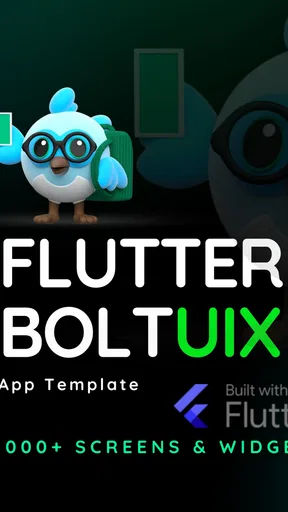
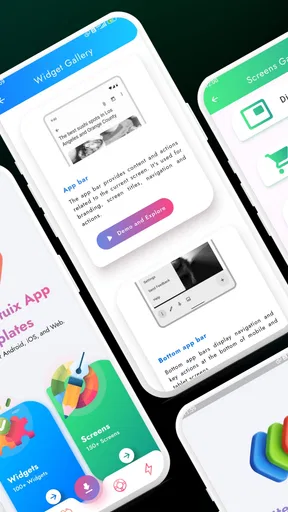
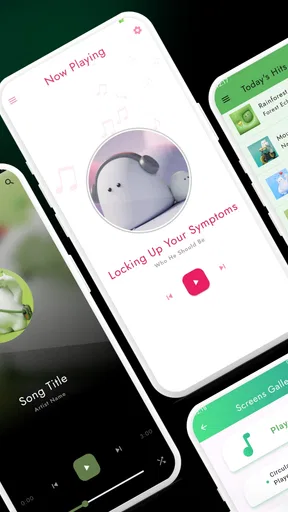
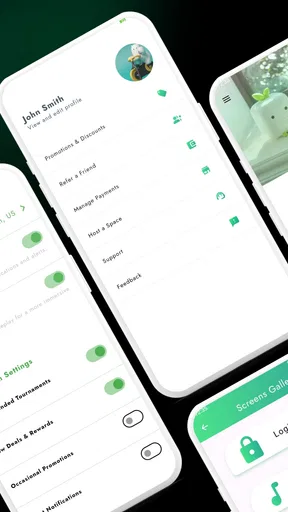
 Analysis by AppCompare
Starting a mobile project can mean staring at an empty screen before the actual idea gets a chance to take shape. I find a UI template most useful at that early point: it gives me something concrete to inspect, adapt, and test instead of asking me to invent every screen at once. Flutter UI App Template is aimed at that kind of head start, though it is best approached as a starting point for developers rather than a finished app for everyday consumers.
That distinction matters before you install it. This is a free app in the Libraries & Demo category from BOLT UIX, with an Everyone content rating. Its average rating is 3.6 from 38 ratings, and it has 10K+ installs. Those figures suggest some interest, but they are not a substitute for checking whether the template fits your own project or skill level. It also has in-app purchases listed at $3.99 per item, so I would check what is included before relying on any paid option.
Begin with a small, clear project
I would not start by trying to turn a template into an entire business. Pick one screen or one narrow flow first: perhaps a welcome page, a product list, or a profile view. That keeps the first pass manageable and makes it easier to judge whether the visual direction suits your idea. A template can save time on the first draft, but it cannot decide what your app should do or which details matter to your users.
This is especially useful if you are learning Flutter and need a visual reference while you work. Instead of treating every component as an isolated exercise, you can look at how a screen is put together and consider what you would keep, change, or remove. If you already have a design system or a carefully established codebase, though, beginning with your own components may be cleaner than adapting someone else’s conventions.
Getting Started with Flutter UI App Template
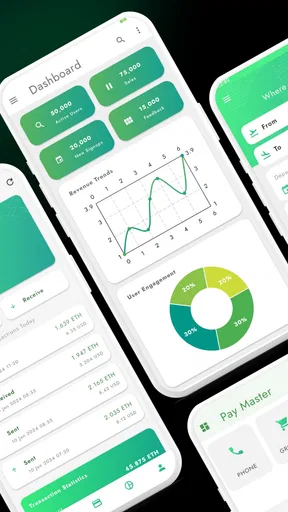
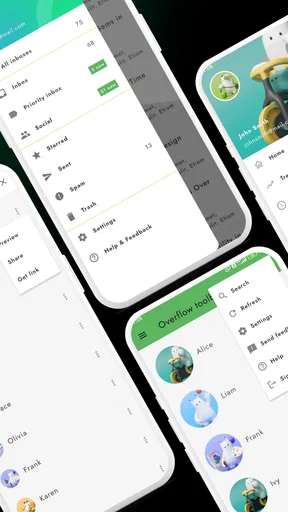
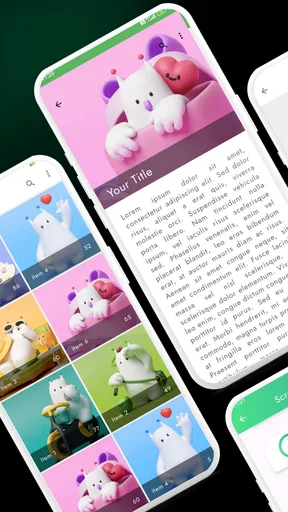
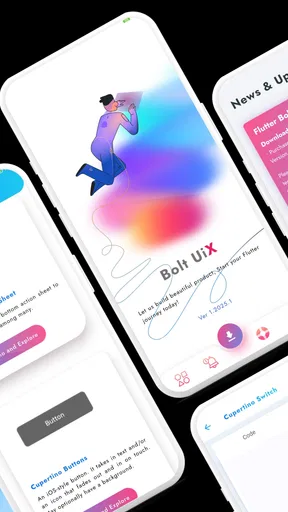
Diving into the Flutter UI App Template is like opening a treasure chest of ready-to-use components and widgets. From sleek buttons to eye-catching layouts, it's packed with design elements that can make your app look like a million bucks without breaking a sweat.
First off, the installation is a breeze. If you're familiar with Flutter, you're already halfway there. Just download the template from the provided link, unzip it, and you’re ready to roll. I was up and running in no time, and trust me, if I can do it, anyone can.
Design Elements That Pop
Once inside, you'll find a variety of pre-designed screens and components. Whether you're building an e-commerce app or a social networking platform, there's something for everyone. The template includes:
Worth Reading Before You Choose

EA SPORTS FC Mobile 26 Is a Bigger Football Game, but It Takes Time

Flipboard Shows What News Apps Must Do Beyond the Feed

Switching to Android Auto Means Rethinking Your Driving Routine

Google Calendar Makes a Crowded Week Easier to Manage

Ludo King Makes the Most of the Minutes Between Plans

Baby Panda World Brings Quick Play to Modern Phones, but Its Game Library Feels Busy
- Customizable widgets that fit seamlessly into your existing Flutter projects.
- A vast array of themes and colors to match your brand identity or personal style.
- Smooth animations that add a professional touch to your app.
The best part? Everything is customizable. You can tweak colors, fonts, and layouts to make the app truly yours. Plus, the code is clean and well-documented, making modifications a breeze.
Turn the template into a working first draft
A practical way to use those pieces is to make a copy of the starting project and change one thing at a time. I would begin with a screen that represents the core action, then adjust its colors and spacing before changing several layouts at once. This makes it easier to spot when a visual change has made a button harder to notice or a screen less readable. Keep a note of the original choices as you go; that gives you a simple way to reverse a change without losing the useful parts of the template.
For a small shop concept, for example, I might first reshape a product card and check whether its image, title, and action still read clearly on a narrow phone display. Only after that would I carry the same decisions into neighboring screens. This is a less glamorous workflow than redesigning everything in one sweep, but it exposes mismatches early and prevents a polished-looking collection of screens from hiding an awkward user journey.
Performance and Usability
Now, let's talk performance because nobody likes a sluggish app. The Flutter UI App Template is optimized for speed. The animations are butter-smooth, and the transitions are seamless. I tested it on both Android and iOS, and it performed like a champ on both platforms.
Usability is another area where this template shines. The intuitive design makes navigation a walk in the park. Users can easily find their way around the app, thanks to the thoughtful placement of buttons and menus. It’s clear that the designers put a lot of thought into the user experience.
Check the handoffs, not just the screens
A UI can look convincing in isolation and still feel confusing when someone moves from one step to the next. I would test the path between screens as carefully as the screens themselves: where does a tap lead, can the user tell what just happened, and is there an obvious way to continue? If you are using the template for a sign-up or checkout concept, sketch the full route before polishing individual controls. That exercise can reveal missing states or transitions that a static preview will not make obvious.
The same caution applies when passing the work to another developer. A reusable widget is only helpful if its purpose and expected inputs are clear in the project you are building. Even when the starter code feels readable, I would add brief notes around the changes I make and keep names consistent with the rest of my app. That small handoff habit is more valuable than assuming a future teammate will infer why a component was customized.
Integration and Extensibility
One of the standout features of the Flutter UI App Template is its ability to integrate with other services. Need to add a payment gateway? No problem. Want to incorporate a chat feature? Done. The template is built to be flexible and extendable, allowing you to add new features as your app grows.
For developers, this means less time worrying about compatibility issues and more time focusing on what really matters – building a great app.
Where a template helps—and where it gets in the way
Compared with building every screen from scratch, a template can give a learner a quicker visual foothold and provide a prototype that is easier to discuss with a client or teammate. Compared with a design-only mock-up, it offers a more practical place to examine how widgets might become a working interface. But a template is not automatically the best alternative: a design system already used by your team may provide more consistent components, while a simple custom prototype may be faster if your idea needs only one unusual screen.
There is also a trade-off between speed and ownership. The more you reshape ready-made screens, the more important it becomes to understand their structure instead of layering quick edits on top. If a project depends on a distinctive interaction or a strict accessibility standard, I would test those needs early rather than assume that a visually attractive default is already suitable. This is a toolkit for getting a draft moving, not a guarantee that every finished flow will be right for your audience.
A realistic day-one workflow
Imagine you have a short planning session after work and want to show a colleague what a booking app might feel like. I would choose one central path, such as selecting an option and reaching a confirmation screen, then adapt only the components needed to communicate that path. The colleague can react to something tangible, and you can note where labels, emphasis, or screen order need work. Later, you can decide whether the concept deserves a deeper build rather than spending the evening styling screens that may never be used.
For a student, the same approach can turn a broad assignment into a focused exercise: change one screen, trace where its controls should lead, and compare the result with the original. For a freelancer, it can help make an early conversation more concrete. In both cases, the useful outcome is not simply a nicer-looking screen; it is a faster way to expose questions about the product before committing to a larger implementation.
Compatibility, cost, and expectations
The current version is 1.2026.1, and the stated minimum operating-system requirement is 8.0. I would check that requirement against the device you plan to use before downloading, especially if you are testing on an older phone. The app is free to install, while in-app purchases are listed at $3.99 per item; that makes it sensible to explore the free experience first and decide whether any paid item actually matters to your workflow.
It was released on Jan 1, 2025, and its modest review count means I would treat the average rating as one signal rather than a definitive verdict. The key question is not whether every user likes it, but whether its screens and coding approach are a good match for your task. If you only need a finished consumer app to use, this is not the right kind of download: its purpose is to support UI exploration and app-building work.
Final Thoughts
In a nutshell, the Flutter UI App Template is a game-changer for developers looking to save time without compromising on quality. It's perfect for both newbies who want to dip their toes into app development and seasoned pros looking for a quick way to prototype ideas.
So, if you’re on the hunt for a tool that will give you a head start in building beautiful apps, look no further. The Flutter UI App Template is worth every penny and then some. Give it a try, and you might just find yourself wondering how you ever lived without it.
Who should take the next step
I would recommend trying it if you want a visual starting point for a Flutter prototype, are comfortable making adjustments, and can judge the result against a real user task. It is less compelling if you need a ready-to-publish product, expect a template to supply your app’s business logic, or already have a mature component library that your team relies on. Those situations call for a different starting point, not more customization for its own sake.
My practical advice is to install it with one small goal, inspect how the relevant screens connect, and keep only the parts that make your own flow clearer. That approach lets you benefit from the template without mistaking a quick first draft for finished product design. For a learner or early-stage builder, that is a useful distinction—and the reason I see this app as a workbench rather than a shortcut that does the whole job.
Pros
- Highly customizable for unique designs.
- Smooth animations enhance user experience.
- Cross-platform support for Android and iOS.
- Regular updates with new features.
- Comprehensive documentation available.
Cons
- Requires knowledge of Flutter for customization.
- Limited pre-built themes available.
- Some components may be buggy.
- Not suitable for complex app needs.
- High-quality assets may increase app size.
FAQs for Flutter UI App Template
What is the Flutter UI App Template and who is it for?
The Flutter UI App Template is a pre-designed framework for developers looking to create visually appealing applications quickly. It's ideal for both beginners and seasoned developers who want to save time on design and focus more on functionality. This template offers a range of customizable components suitable for various app categories.
How customizable is the Flutter UI App Template?
The Flutter UI App Template is highly customizable, allowing users to modify colors, fonts, layouts, and other design elements to match their brand or app requirements. With a comprehensive set of widgets and components, users can easily adapt the template to create unique and personalized app interfaces.
Does the Flutter UI App Template support both Android and iOS platforms?
Yes, the Flutter UI App Template is designed to support both Android and iOS platforms seamlessly. Built on Flutter, it provides a unified codebase that ensures consistent performance and appearance across different devices, reducing development time and efforts significantly.
What are the main features included in the Flutter UI App Template?
The Flutter UI App Template includes a variety of features such as pre-built widgets, navigation options, animations, and responsive layouts. It also offers support for different screen sizes and orientations, ensuring a smooth user experience on both smartphones and tablets. These features make it a versatile choice for app developers.
Are there any prerequisites for using the Flutter UI App Template?
To effectively use the Flutter UI App Template, users should have a basic understanding of the Flutter framework and Dart programming language. Familiarity with mobile app development concepts will also be beneficial. However, the template's comprehensive documentation and community support can assist beginners in getting started.


